

The Ultimate Deep-Dive Review: Is the AMD Ryzen 5 5500 the Best Value CPU for Your Next Build?
Building a modern desktop PC can often feel like an exercise in extreme financial gymnastics. With the latest generation of flagship graphics cards and ultra-high-end processors commanding exorbitant prices, it is incredibly easy for a new computer build to spiral out of control and break your budget. However, the beating heart of a highly capable, lightning-fast workstation does not actually require you to spend top dollar.
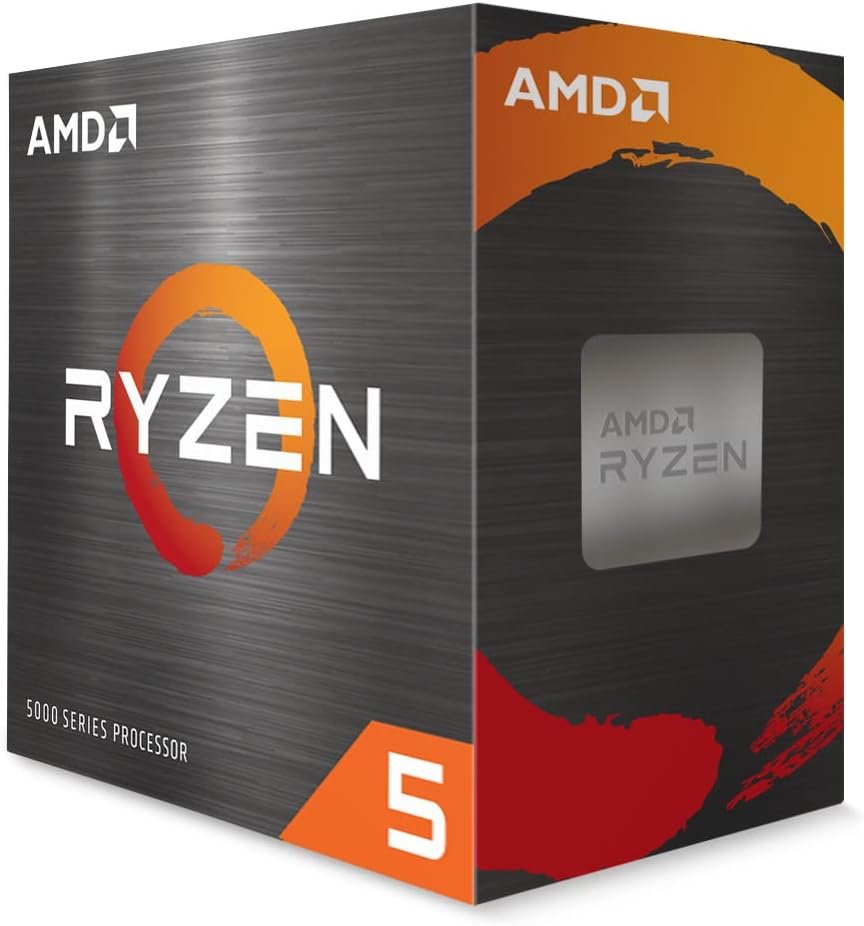
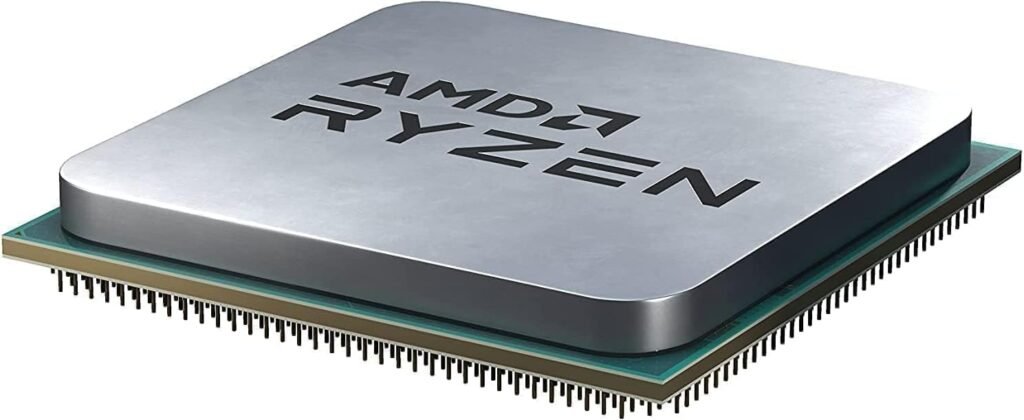
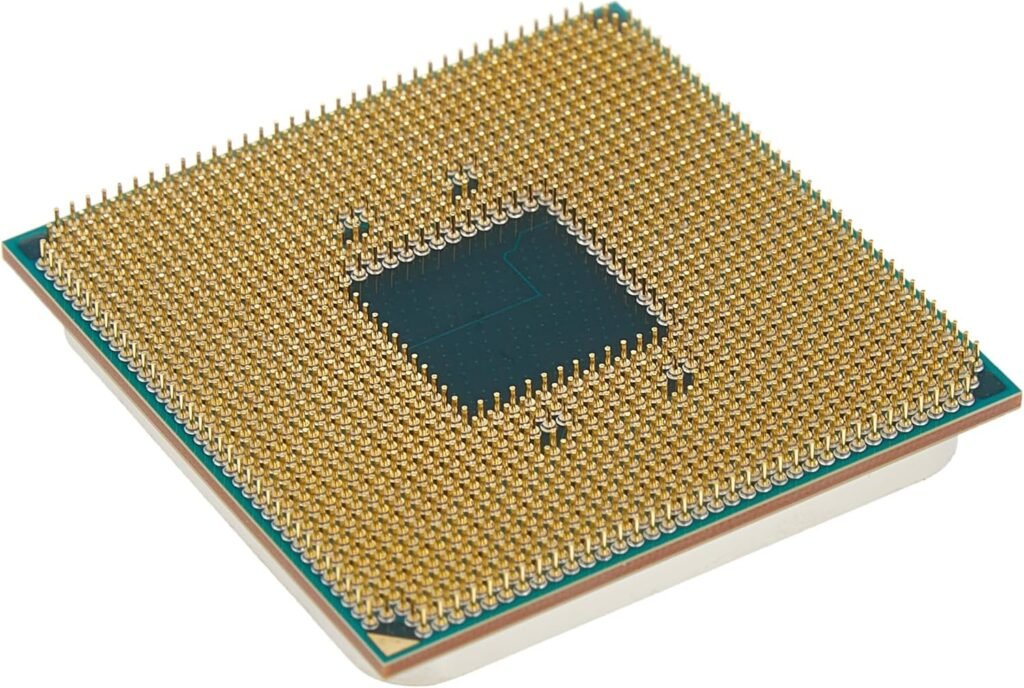
Enter the AMD Ryzen 5 5500. Released as a late-stage addition to AMD’s legendary AM4 socket lineup, this 6-core, 12-thread processor was designed with a single, laser-focused mission: to offer undeniable, rock-solid productivity and gaming performance at an absolute entry-level price point.
But in a market flooded with options, including its slightly older and highly acclaimed sibling, the Ryzen 5 5600, does the Ryzen 5 5500 truly hold its own? Is it the ultimate workhorse for developers, budget gamers, and everyday power users, or did AMD cut too many corners to get the price down? In this comprehensive, deep-dive review, we are tearing down the architecture, analyzing the real-world performance metrics, and looking at exactly who should be putting this processor at the center of their next rig.
📋 The Raw Specifications: Ryzen 5 5500 vs. Ryzen 5 5600
To understand the Ryzen 5 5500, we first have to look at the numbers. Here is how it stacks up against the next step up in AMD’s product stack:
🧬 The Architecture: The “Cezanne” Secret
To fully grasp what the Ryzen 5 5500 is, we have to pull back the curtain on silicon manufacturing. You might assume that the 5500 is just a slightly slower version of the Ryzen 5 5600X. In reality, it has an entirely different biological makeup.
The Ryzen 5 5500 is built on the “Cezanne” die, which is the exact same silicon architecture used for AMD’s APUs (processors that include built-in graphics, like the Ryzen 5 5600G). When manufacturing chips, sometimes the integrated graphics portion of the silicon does not meet quality standards. Instead of throwing these chips in the trash, AMD disables the graphics portion, tweaks the clock speeds, and sells it as a dedicated CPU. That is the Ryzen 5 5500.
Because it was originally designed as an APU, it inherits a few specific architectural quirks. The most notable is the L3 Cache reduction. To make room on the physical silicon die for what was supposed to be a graphics processor, AMD had to cut the L3 Cache in half (from 32MB down to 16MB). As we will explore later, this has very specific implications depending on how you plan to use the machine.
💻 Productivity, Multitasking, and the Modern Workflow
If you are building a PC primarily for productivity, code compilation, and heavy multitasking, this processor is an absolute revelation for the price.
When you are deep in the zone, operating as a vibe coder, your daily workflow is highly distinct and demanding. You are not just casually browsing the web; you are rapidly spinning up Next.js environments, testing complex React components, running local servers, and continuously engaging with heavy AI prompts to accelerate your development cycles. This kind of modern, AI-assisted development requires serious parallel processing capabilities.
This is exactly where the Ryzen 5 5500 flexes its muscles. With 6 physical cores and 12 processing threads operating on the highly efficient Zen 3 architecture, the CPU acts as a brilliant traffic director. It allows you to run multiple Docker containers, keep forty browser tabs open for documentation, and stream music all at the same time without the system locking up or stuttering.
Furthermore, if you are looking to establish a permanent, stable, and cost-effective workstation right here in Morocco, component reliability and power efficiency are paramount. You want a machine that delivers a premium price-to-performance ratio without requiring an expensive, oversized power supply unit (PSU). The 5500 handles intensive coding workloads beautifully while maintaining a deeply respectable energy footprint.
🎮 The Gaming Reality: Cache and PCIe Limitations
While the Ryzen 5 5500 is a productivity powerhouse, its gaming performance requires a slightly more nuanced conversation due to two main factors: the halved L3 Cache and the limitation to PCIe 3.0.
1. The L3 Cache Factor: In gaming, L3 cache acts as ultra-fast, temporary storage located right next to the CPU cores. It holds the data the CPU needs to quickly calculate physics, AI behavior, and frame rendering. Because the 5500 only has 16MB of L3 cache, it occasionally has to fetch data from your system RAM, which is slightly slower.
-
What this means for you: In CPU-bound, competitive 1080p esports titles (like Counter-Strike 2 or Valorant), the Ryzen 5 5500 will output slightly fewer frames per second than the Ryzen 5 5600. However, if you are playing graphically intense, single-player games at 1440p or 4K resolution (like Cyberpunk 2077 or Red Dead Redemption 2), the difference completely vanishes, as your graphics card becomes the bottleneck.
2. The PCIe 3.0 Limitation: This processor does not support PCIe Gen 4. It operates strictly on PCIe 3.0.
-
What this means for you: If you install an ultra-fast Gen 4 NVMe SSD, it will be limited to Gen 3 speeds (which is still incredibly fast, topping out at around 3,500 MB/s—more than enough for rapid boot times and game loading). More importantly, if you pair this CPU with a modern graphics card that relies heavily on a PCIe 4.0 x8 connection (such as the NVIDIA RTX 4060 or AMD RX 7600), you may lose about 2% to 5% of your GPU’s maximum potential performance. It is a minor bottleneck, but it is one you should be aware of when planning your build.
❄️ Thermals, Power Draw, and the Wraith Stealth Cooler
One of the greatest, often-overlooked benefits of the Ryzen 5 5500 is its thermal efficiency. With a default Thermal Design Power (TDP) of just 65 watts, this processor simply sips electricity.
Because it operates so efficiently, it generates very little excess heat. This makes it an absolutely perfect candidate for small-form-factor (Mini-ITX) PC builds, or for workstations located in warmer environments where you do not want your computer acting like a space heater during the summer months.
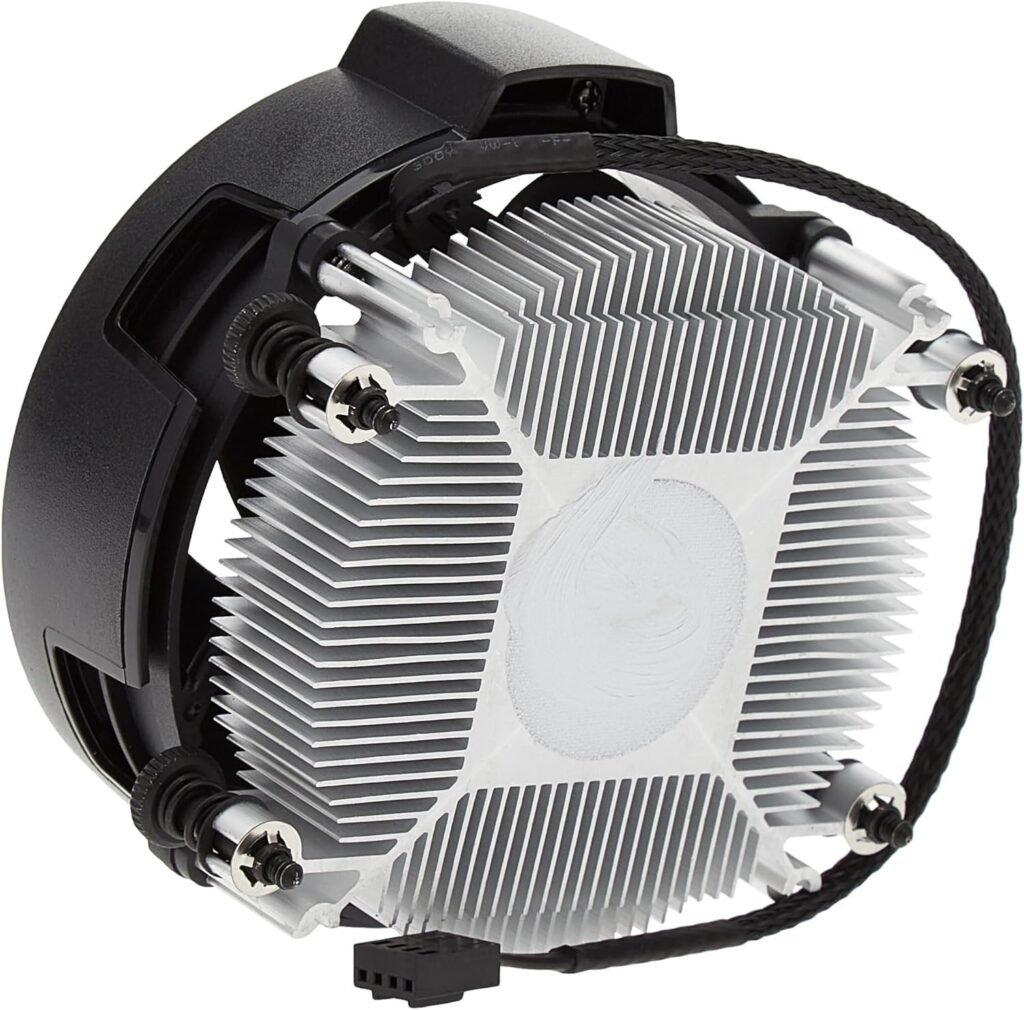
Adding incredible value to the package is the inclusion of the AMD Wraith Stealth Cooler right inside the box. Unlike many modern Intel chips or high-end Ryzen 7/Ryzen 9 processors that force you to buy an aftermarket cooler, the Wraith Stealth is completely adequate for this chip. As long as your PC case has decent airflow, the stock cooler will keep the 5500 well below its maximum operating temperature of 90°C, even under heavy, sustained workloads. This instantly saves you anywhere from $30 to $60 on your total build cost.
🛠️ Platform Longevity: The Magic of the AM4 Ecosystem
We cannot review the Ryzen 5 5500 without talking about the motherboard it plugs into. The AM4 socket is arguably the greatest, most consumer-friendly socket in the history of PC building.
While AMD has officially moved on to the newer AM5 platform (which requires expensive DDR5 memory and new motherboards), the AM4 ecosystem represents the ultimate paradise for budget builders.
-
Cheap Motherboards: You can easily pair the Ryzen 5 5500 with an affordable, highly capable B450 or B550 motherboard.
-
Cheap Memory: DDR4 RAM is currently at historically low prices. You can easily populate your system with 32GB of high-speed DDR4 for a fraction of what DDR5 costs.
By choosing the 5500, you are buying into an incredibly mature, stable, and cost-effective ecosystem. If you ever feel the need to upgrade years down the line, the AM4 platform allows you to drop in the legendary Ryzen 7 5800X3D without having to rebuild your entire computer.
⚖️ Comprehensive Pros and Cons
To distill everything down, here is the honest assessment of where this processor succeeds and where it falls short:
The Pros
-
Unbeatable Price-to-Performance: It is incredibly difficult to find a 6-core, 12-thread CPU that offers this much multi-threaded power at such an aggressive price point.
-
The Ultimate Developer Tool: Handles compiling code, running local environments, and heavy browser multitasking effortlessly.
-
Includes a Free Cooler: The Wraith Stealth cooler works perfectly, saving you money right out of the gate.
-
Extremely Power Efficient: At just 65W, it stays remarkably cool and will not spike your electric bill.
-
Platform Cost Savings: Utilizing cheap DDR4 memory and deeply discounted AM4 motherboards makes the total cost of your PC build incredibly low.
The Cons
-
Limited to PCIe 3.0: You cannot take full advantage of PCIe Gen 4 SSDs or the absolute maximum bandwidth of certain newer graphics cards.
-
Smaller L3 Cache: The 16MB cache means you will miss out on some top-end frame rates in 1080p competitive gaming compared to the Ryzen 5 5600.
-
No Integrated Graphics: Despite being built on APU silicon, you must have a dedicated graphics card to get a video signal to your monitor.
💡 The Final Verdict
Is the AMD Ryzen 5 5500 worth it? Yes. If you are building a machine on a strict budget, every single dollar matters. The AMD Ryzen 5 5500 is a masterclass in compromise; it trims away the luxury features (like PCIe 4.0 and massive cache pools) while fiercely protecting the core, multi-threaded performance that actually impacts your daily workflow.
If you are a hardcore competitive gamer looking to squeeze every single frame out of a high-refresh-rate 1080p monitor, it might be worth spending the extra money to step up to the Ryzen 5 5600.
However, if you are a developer, a content creator, or a 1440p gamer who needs a highly reliable, cool-running engine to power your workstation, the 5500 is a phenomenal investment. It allows you to allocate the money you saved on the CPU and motherboard directly into a better graphics card, more RAM, or a higher-quality monitor—which is exactly how smart, efficient PC building is done.
Ready to start building a hyper-efficient, budget-friendly powerhouse?
🥊 The Arena: AMD Ryzen 5 5500 vs. The Budget Heavyweights
No processor exists in a vacuum. To truly determine if the Ryzen 5 5500 is the right brain for your specific build, we have to look at what else you could buy for roughly the exact same amount of cash. The entry-level CPU market is a fiercely contested battleground, and choosing the wrong chip can accidentally bottleneck your entire system.
Here is an exhaustive breakdown of how the Ryzen 5 5500 stacks up against its three most aggressive competitors, and exactly who should buy which chip.
1. The Big Brother: AMD Ryzen 5 5600
This is, without a doubt, the most common dilemma for anyone building an AM4 desktop. The Ryzen 5 5600 is widely considered the standard-bearer for modern budget builds. On paper, they look almost identical, but structurally, they behave very differently.
-
The Core Differences: While both chips feature 6 cores and 12 threads on the Zen 3 architecture, the Ryzen 5 5600 utilizes the “Vermeer” die, whereas the 5500 uses the “Cezanne” die. This means the 5600 possesses double the L3 Cache (32MB vs. 16MB) and boasts full support for the ultra-fast PCIe 4.0 standard.
-
Gaming Performance: In heavily CPU-bound games playing at 1080p (like Microsoft Flight Simulator, Valorant, or Call of Duty: Warzone), that extra 16MB of cache on the 5600 matters immensely. The 5600 will consistently push about 10% to 15% more frames per second and offer vastly superior “1% lows” (meaning less stuttering during intense action).
-
Productivity & Workflow: If you are compiling complex Next.js applications, rendering 4K video, or running heavy local development environments, the gap narrows significantly. Both processors will chew through multithreaded workloads at almost the exact same speed.
-
The Verdict: If you are a competitive gamer playing on a high-refresh-rate 1080p monitor, or if you plan to install a high-end PCIe 4.0 graphics card (like an RTX 4070), the 5600 is absolutely worth the extra $30 to $40. However, if you are building a workstation strictly for web development, software engineering, or playing visually stunning single-player games at 1440p, the 5500 offers virtually identical performance while keeping cash in your pocket.
2. The Blue Team Challenger: Intel Core i5-12400F
If you are willing to cross enemy lines, Intel’s 12th-generation champion is a brilliant and aggressive competitor in this exact price bracket.
-
The Core Differences: The i5-12400F matches the 6-core/12-thread count but utilizes Intel’s highly efficient “Golden Cove” architecture. It generally offers slightly faster single-core clock speeds than the 5500. It also supports PCIe 4.0 and even PCIe 5.0 on certain high-end motherboards.
-
Gaming & Productivity: In pure gaming scenarios, the Intel Core i5-12400F is technically a faster CPU than the Ryzen 5 5500, frequently trading blows with the more expensive Ryzen 5 5600. It handles background tasks and Adobe Creative Cloud applications beautifully thanks to its strong single-core grunt.
-
The “Total Platform Cost” Catch: Here is where the 5500 fights back. You cannot just look at the price of the processor; you must look at the motherboard it plugs into. Intel LGA1700 motherboards (even the budget B660 boards) are traditionally much more expensive than AMD’s deeply discounted B450 or B550 motherboards.
-
The Verdict: If you strictly want the highest gaming framerates possible in this price tier and don’t mind spending an extra $40 to $60 on a compatible Intel motherboard, the i5-12400F is a superb choice. But if your total build budget is incredibly rigid and you want the absolute best value-to-performance ratio for a balanced workstation, the AMD ecosystem surrounding the 5500 remains significantly cheaper.
3. The Integrated Twin: AMD Ryzen 5 5600G
Remember how we mentioned the 5500 is essentially an APU with the graphics disabled? This is that APU in its original, fully functional form.
-
The Core Differences: Structurally, the Ryzen 5 5600G and the Ryzen 5 5500 are identical twins. They share the same Zen 3 architecture, the same limited 16MB L3 Cache, and the same PCIe 3.0 ceiling. The only difference is that the 5600G has its onboard Radeon Vega 7 integrated graphics left turned on.
-
The Use Case: Because the 5600G handles its own graphics processing, you do not need to buy a dedicated graphics card to get a video signal to your monitor.
-
The Verdict: If you are building a dedicated office machine, a home server, or a pure coding workstation to establish a stable local business setup here in Morocco—and you have absolutely zero interest in PC gaming, 3D rendering, or heavy video editing—buy the 5600G. It allows you to build a lightning-fast, fully functional PC while entirely bypassing the cost of a GPU. However, if you already own a graphics card (even an older one like a GTX 1660), stick with the 5500 and save the price difference.
4. The Generational Upgrade: Ryzen 5 3600
Many builders looking at the Ryzen 5 5500 are currently running older Zen 2 systems and wondering if this is a worthy upgrade path.
-
The Core Differences: The older Ryzen 5 3600 features the previous-generation Zen 2 architecture, but it actually has a larger L3 cache (32MB) and supports PCIe 4.0.
-
The Verdict: Despite the 3600 having PCIe 4.0 and more cache, the architectural leap from Zen 2 to Zen 3 is massive. The 5500 features significantly better Instructions Per Clock (IPC), meaning it gets far more work done in the same amount of time. Upgrading from a 3600 to a 5500 will yield a noticeable 15% to 20% bump in overall system responsiveness and gaming performance. That said, if you are going through the trouble of upgrading an older AM4 socket, it is usually recommended to save up just a bit more and jump straight to the Ryzen 7 5700X3D for a truly mind-blowing, long-lasting performance leap.
📊 The Ultimate Spec & Value Matrix
To make your final decision easier, here is the side-by-side technical breakdown:
| Specification | Ryzen 5 5500 | Ryzen 5 5600 | Core i5-12400F | Ryzen 5 5600G |
| Architecture | Zen 3 | Zen 3 | Alder Lake (Golden Cove) | Zen 3 |
| Cores / Threads | 6 / 12 | 6 / 12 | 6 / 12 | 6 / 12 |
| L3 Cache Size | 16 MB | 32 MB | 18 MB | 16 MB |
| PCIe Support | PCIe 3.0 | PCIe 4.0 | PCIe 4.0 / 5.0 | PCIe 3.0 |
| Integrated Graphics? | No | No | No | Yes (Radeon Vega 7) |
| TDP (Power Draw) | 65W | 65W | 65W | 65W |
| Cooler Included? | Yes (Wraith Stealth) | Yes (Wraith Stealth) | Yes (Laminar RM1) | Yes (Wraith Stealth) |
| Best Used For… | Extreme budget builds & pure developer workstations | 1080p high-refresh gaming & mid-tier builds | Intel loyalists & strong single-core workloads | Office PC builds & strictly non-gaming machines |