

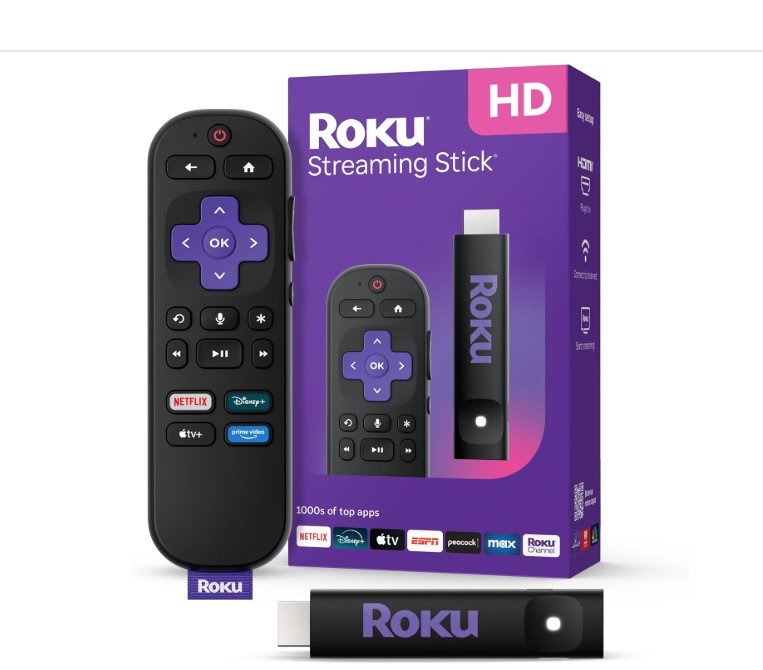
Roku Streaming Stick HD — HD Streaming Device for TV with Roku Voice Remote, Free & Live TV
View on amazon
Smart TV operating systems notoriously age like milk. A television purchased a few years ago might still feature an excellent physical display panel, but its internal processors eventually slow to a crawl, dropping support for newer apps and cluttering the screen with sluggish navigation menus.
The Roku Streaming Stick HD serves as an affordable “brain transplant” for any television with a standard HDMI port. Transitioning from the older, bulky set-top box format to a sleek, hidden stick architecture, this budget-friendly streaming device balances ultra-minimalist hardware layout with high-volume access to free content. This review breaks down its hardware performance, the user interface, remote capabilities, and overall value in the modern streaming landscape.
Product Specifications
| Feature | Details |
| Video Resolution | 1080p Full HD (Up-scaling from 720p) |
| Form Factor | Slim HDMI Dongle (Plugs directly into the TV panel) |
| Power Source | TV USB Port Power ($5\text{V} – 1\text{A}$) or optional wall adapter |
| Remote Control | Roku Voice Remote with TV Power, Volume, and Mute controls |
| Audio Profiles | Digital Stereo, DTS Digital Surround, and Dolby audio pass-through |
| Smart Home Support | Apple AirPlay, HomeKit, Google Home, Amazon Alexa |
| Connectivity | Single-band Wi-Fi connection |
1. Hardware Architecture: The Zero-Clutter Design
Historically, budget streaming devices required a dedicated power brick hooked into a wall outlet, leaving an unsightly trail of wires dangling underneath a wall-mounted TV. The Roku Streaming Stick HD eliminates this cable mess completely through its efficient power management system.
USB Passthrough Power
Consuming a meager 2.2W of power during active streaming, the stick can be powered directly from an open USB port on the back of almost any modern TV using the included USB-C to USB-A cable.
┌────────────────────────────────────────────────────────┐
│                      BACK OF TV                        │
│                                                        │
│  [HDMI Port] ◄── [Roku Streaming Stick HD]             │
│                        │ (Included USB Cable)          │
│  [USB Port]  ◄─────────┘                               │
└────────────────────────────────────────────────────────┘
Port Clearance
Older streaming dongles were famously wide, often crowding out adjacent HDMI inputs and rendering neighboring ports useless for gaming consoles or soundbars. This version features a slimmed-down, elongated stick casing that sits cleanly within tight recessed port bays, ensuring full access to the rest of your TV’s IO panel.
2. Remote Control Upgrades: The Voice Remote Experience
The entry-level tier of streaming media players used to force users into dealing with cheap, infrared (IR) line-of-sight clickers that felt flimsy and required a direct target to work. This model shifts the baseline standard forward by including the genuine Roku Voice Remote.
Universal Infrared Synchronization
During the initial five-minute setup process, the Roku remote pings your TV’s internal code database via HDMI-CEC or IR configurations. Within moments, the remote successfully maps itself to your TV’s internal power and volume systems. This completely eliminates “remote juggling”—you can throw your old factory television remote into a drawer, using the single Roku remote to power up the screen, change the volume, mute ads, and navigate channels.
Voice Command Engine
By pressing and holding the dedicated microphone button, you bypass the tedious process of typing movie titles out letter-by-letter on an on-screen keyboard. The voice recognition engine handles casual conversational search logic with ease:
“Search for free action movies.”
“Open Max.”
“Skip ahead two minutes.”
3. The Roku OS Experience: Speed and Simplicity
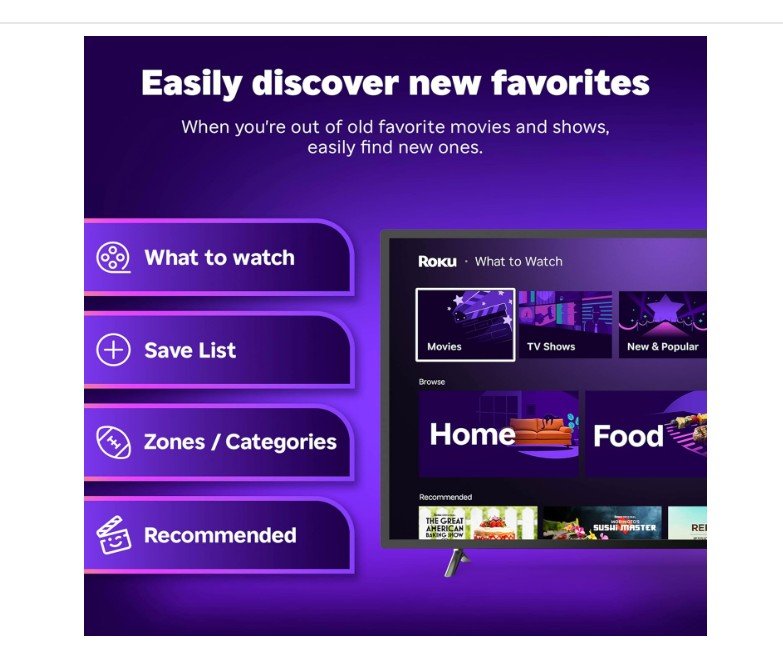
While rival operating systems have transformed their landing screens into aggressive, ad-heavy landscapes that push paid corporate partnerships over user choice, the Roku OS continues to prioritize clean, grid-based accessibility.
The Grid Layout
The home screen is built around customizable, oversized app tiles. There are no heavy, auto-playing video trailers bogging down system memory or causing navigation stutter. Icons for major premium networks like Netflix, Disney+, Prime Video, Max, and Hulu sit right alongside your free content hubs, letting you jump back into your favorite content instantly.
Cross-Platform Search
If you look up a movie like Knives Out, the Roku interface doesn’t just show you a purchase link on an individual storefront. Instead, it aggregates every available viewing option across the internet, listing them by price from “Free with Ads” up to premium rental costs, ensuring you never accidentally pay for content you already have access to.
4. The Free Content Value: Breaking Down Roku Live TV
For cord-cutter households trying to completely avoid expensive monthly cable bills, this device offers an enormous built-in safety net through the Roku Channel.
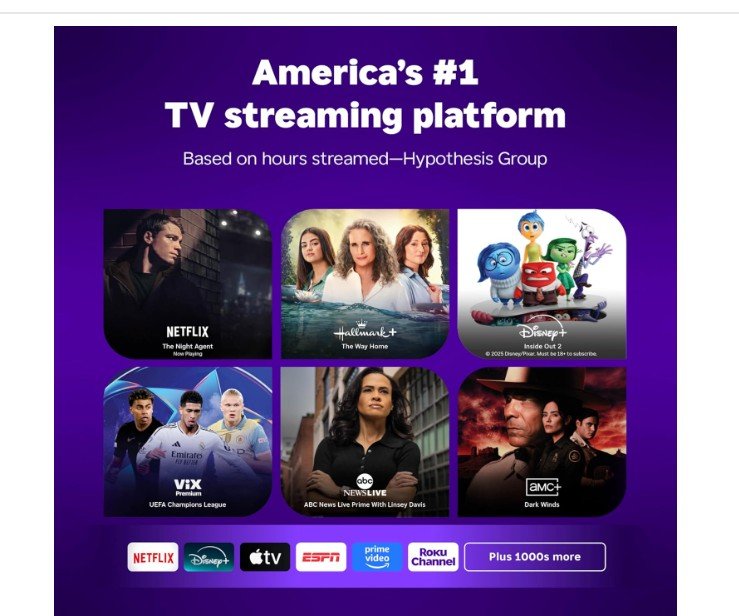
Out of the box, you gain instant access to over 500+ completely free live TV channels. The platform features an interactive, grid-based Electronic Program Guide (EPG) that mirrors the familiar look and feel of traditional cable television:
[LIVE TV GUIDE] ───► [Channel 115: ABC News Live] ───► (24/7 Live News)
                ───► [Channel 240: NBC Sports]    ───► (Classic Matches)
                ───► [Channel 310: WeatherNation] ───► (Local Forecasting)
                ───► [Channel 405: Classic Movies]───► (Retro Cinema)
The live network feed covers national news networks, weather channels, syndicated sitcom marathons, and niche live sports programming without requiring a single credit card entry or monthly subscription fee.
5. Travel Portability: Shows on the Go
The physical footprint of the stick makes it an ideal companion for road trips, hotels, or college dorms. Hotel Wi-Fi configurations notoriously present sign-in friction because they require you to accept terms and conditions on a web-browser splash page—something old streaming sticks couldn’t process.
Roku’s Hotel & Dorm Connect feature effortlessly resolves this bottleneck:
- Plug the stick into the hotel room TV HDMI port.
- Connect your smartphone to the temporary wireless network generated by the Roku stick.
- Use your phone’s browser to complete the hotel’s login or voucher page.
- The Roku stick automatically inherits the approved internet access link, bypassing the hotel block smoothly without forcing you to manually log into your private streaming accounts on a strange, public hotel smart TV.
Important Considerations Before Purchasing
Maxes Out at 1080p Resolution: This specific model is strictly engineered for standard High Definition (1080p) television setups. If you own a premium 4K Ultra HD television and want to maximize its pixel count with deep HDR10+ or Dolby Vision color ranges, you will want to skip this model and opt for the slightly more advanced Roku Streaming Stick 4K instead.
Wi-Fi Range Proximity: Unlike its premium 4K siblings that feature long-range external Wi-Fi antenna arrays built into the power cable, this ultra-slim HD unit utilizes a standard internal Wi-Fi chip. It works flawlessly in living rooms, bedrooms, or kitchens that have a solid, clear line of sight to the home router, but it may struggle if placed in a distant garage or basement separated by multiple thick plaster walls.
Final Verdict
Pros
- Exceptional Price to Value: Gives older, lagging television sets an immediate, top-tier performance boost on a budget.
- Invisible, Clean Setup: Tucks completely behind the television display panel and runs cleanly off an available TV USB slot.
- Streamlined Control Layout: The included Voice Remote handles TV power and volume adjustments effortlessly.
- Massive Free Directory: Grants instant access to 500+ live television streams without requiring hidden fees or billing profiles.
- Travel-Ready Software: Seamlessly handles complex public hotel and dorm web-portal logins.
Cons
- No 4K Resolution Support: Locked strictly to 1080p output (though it handles up-scaling from 720p beautifully).
- No Headphone Jack on Remote: Relies on the mobile phone app’s “Private Listening” mode or Bluetooth Headphone configurations for silent nighttime viewing rather than a physical aux port on the remote itself.
The Roku Streaming Stick HD remains a masterful study in no-frills, highly intuitive media design. It avoids useless tech gimmicks to deliver exactly what general consumers want: a fast, reliable, hidden streaming upgrade that is incredibly easy to navigate. If you need to breath new life into a spare bedroom television, set up a guest room display, or want an affordable entertainment option to take on vacation, this streamlined HD device is a flawless and stress-free solution.